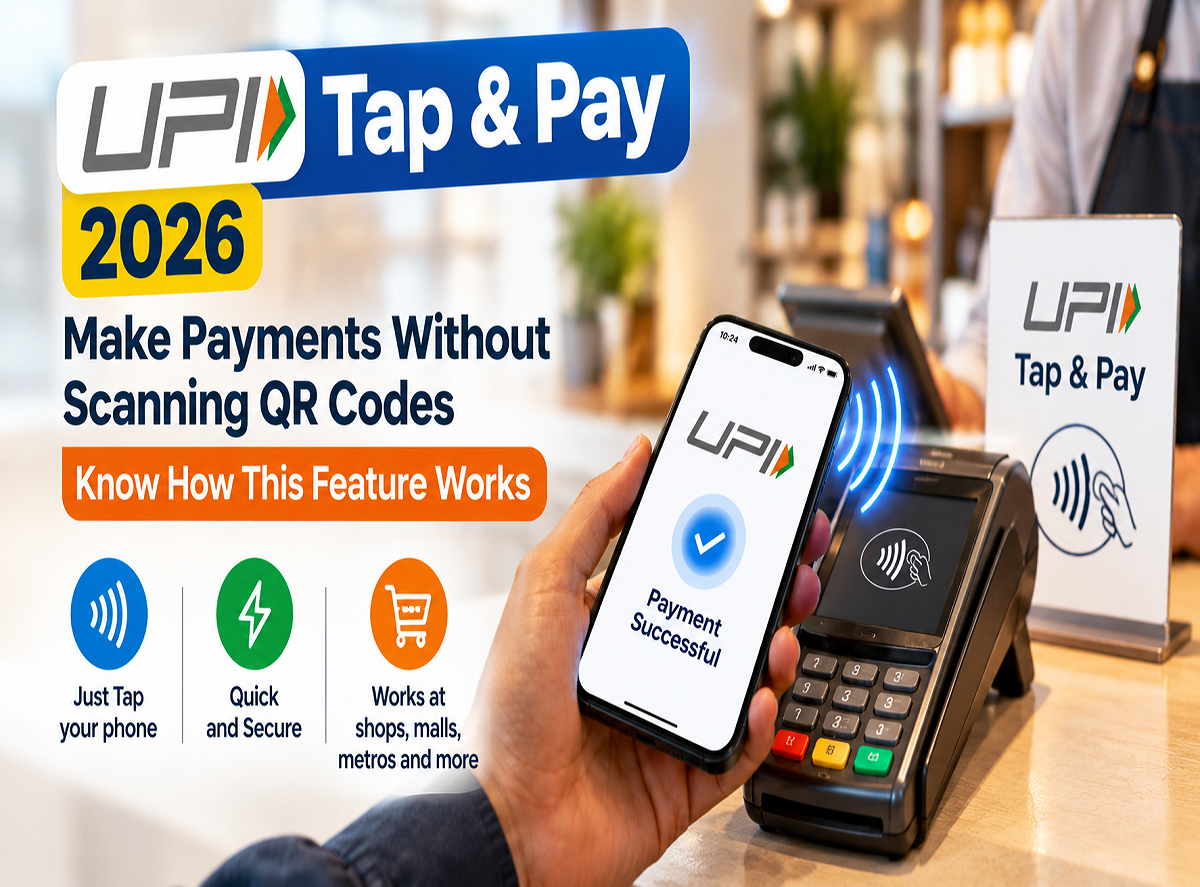
UPI Tap & Pay Feature 2026: Paying for everyday purchases can become easier with UPI Tap & Pay, a contactless payment feature that allows users to initiate supported UPI transactions by tapping their smartphones near compatible payment devices. The National Payments Corporation of India (NPCI) has highlighted this convenient payment option in its latest awareness campaign.
Through its official UPI social media account, NPCI has encouraged users to explore Tap & Pay for quick payments during everyday activities, including entertainment and gaming sessions with friends.
The feature is designed to simplify the payment experience by reducing the need to manually scan a QR code or enter a merchant's UPI ID.
However, users must have a compatible smartphone, a supported UPI application and access to an eligible payment terminal to use the facility.
NPCI Promotes UPI Tap & Pay for Convenient Payments
NPCI has shared a light-hearted message about friends who continue playing games even after announcing that they are ready to stop.
Using this familiar situation, the organisation has promoted UPI Tap & Pay as a convenient option for making payments when another gaming round begins.
The campaign highlights how contactless payment technology can make routine digital transactions simpler.
Instead of searching for a merchant's QR code, customers can initiate a supported payment by bringing their smartphones close to an NFC-enabled payment device.
The transaction is then processed through the UPI payment system, subject to the application's supported features and applicable authentication requirements.
What Is UPI Tap & Pay?
UPI Tap & Pay is a contactless payment facility that uses Near Field Communication (NFC) technology.
NFC allows compatible electronic devices to exchange information when placed close to each other.
In a supported UPI Tap & Pay transaction, a customer uses an NFC-enabled smartphone and a compatible merchant payment device or tag to initiate a payment.
The payment process is completed through the UPI application according to the relevant transaction rules.
This means users may not need to scan a QR code or manually type the recipient's UPI ID.
However, the feature does not eliminate the need for payment verification or authentication wherever required.
How Does UPI Tap & Pay Work?
The general payment process is straightforward.
1. Check smartphone compatibility: Make sure your phone supports NFC technology.
2. Use a supported UPI application: Open a UPI app that offers the Tap & Pay facility.
3. Enable NFC if required: Turn on NFC through the smartphone's settings.
4. Choose Tap & Pay: Select the relevant contactless payment option within the application.
5. Tap the compatible device: Bring your smartphone close to the merchant's supported NFC payment terminal or tag.
6. Review the payment information: Check the merchant details and transaction amount displayed in the application.
7. Authorise the payment: Complete the required authentication, including entering the UPI PIN where applicable.
8. Check the confirmation: Verify the transaction status before leaving the payment counter.
The exact steps may vary depending on the smartphone, UPI application and merchant payment equipment.
Do You Need to Scan a QR Code?
One of the main advantages of UPI Tap & Pay is that a conventional QR code scan may not be necessary.
Traditional UPI merchant payments often require customers to open a payment application and scan a displayed QR code.
With Tap & Pay, supported NFC technology can help initiate the transaction when the smartphone is brought near a compatible device.
This may be particularly useful at busy counters where customers want to complete purchases conveniently.
However, not every merchant payment terminal supports UPI Tap & Pay.
Customers should check whether the facility is available before attempting a contactless transaction.
What Is the Difference Between UPI Tap & Pay and Regular UPI?
Both payment methods operate within the UPI ecosystem, but the way a transaction is initiated can differ.
| Feature | Regular UPI QR Payment | UPI Tap & Pay |
|---|---|---|
| Payment initiation | Scan a QR code | Tap near a compatible NFC device |
| NFC required | No | Yes |
| Compatible merchant setup | UPI QR code | Supported NFC terminal or tag |
| UPI application | Required | Supported application required |
| Payment authentication | As applicable | As applicable |
| Internet connectivity | Generally required | Depends on the supported payment arrangement |
The two methods are intended to provide different ways of initiating digital payments.
Tap & Pay is not a replacement for every existing UPI payment option.
Where Can UPI Tap & Pay Be Used?
NPCI's latest campaign uses gaming and entertainment payments as an example of the feature's convenience.
Where supported, contactless UPI payments may also be useful for other everyday purchases.
These can include payments at retail stores, cafes, food outlets and other businesses equipped with compatible payment devices.
However, availability depends on whether the merchant accepts UPI Tap & Pay and whether the customer's application supports the feature.
Users should not assume that every NFC-enabled card machine automatically supports UPI Tap & Pay.
Is UPI Tap & Pay Safe?
UPI Tap & Pay operates within the digital payment ecosystem, where transaction security and authentication remain important.
The use of NFC helps initiate the payment, but customers should still verify transaction details before authorising any transfer.
Users should check the recipient's identity and payment amount carefully.
Never share a UPI PIN, OTP or banking password with anyone.
It is also important to keep the smartphone operating system and UPI application updated.
If a payment terminal or merchant request appears suspicious, customers should avoid completing the transaction until the details are verified.
Does UPI Tap & Pay Work on Every Smartphone?
No. The feature requires compatible hardware and software.
A smartphone generally needs NFC capability to initiate a supported Tap & Pay transaction.
The UPI application must also offer the relevant functionality.
Some smartphones do not include NFC hardware, while others may have restrictions depending on their operating system and application support.
Customers can check their phone's settings and the features available in their preferred UPI application.
Are There Any Extra Charges for UPI Tap & Pay?
The supplied NPCI awareness message does not announce a new transaction fee for using UPI Tap & Pay.
Applicable charges, if any, depend on the underlying payment instrument and prevailing rules.
Ordinary bank-account-linked UPI transactions generally operate under the applicable zero-MDR framework.
However, users should not assume that every payment arrangement or optional service has identical terms.
It is advisable to review any charges disclosed by the payment provider before completing a transaction.
Where Can Users Get Help With UPI Tap & Pay?
If a contactless payment fails or an incorrect amount is deducted, users should check the transaction status in their UPI application.
They can contact their bank or payment application provider for assistance.
NPCI has also directed customers to its official UPI support platform:
For suspected financial cyber fraud, users should immediately inform their bank and report the incident through the national cybercrime helpline at 1930.
NPCI Encourages Users to Explore Contactless UPI Payments
UPI Tap & Pay offers another way to make digital transactions by combining UPI with NFC technology.
The feature can simplify payment initiation at compatible merchant locations without requiring customers to scan a QR code.
NPCI's latest awareness campaign highlights its usefulness for everyday activities, including paying for additional gaming sessions with friends.
However, customers must ensure that their devices and applications support the feature and that the merchant has a compatible payment setup.
The key takeaway: UPI Tap & Pay allows users with compatible smartphones and supported UPI applications to initiate contactless payments at eligible merchant terminals. Always verify the payment details before authorising a transaction.
Source Credit: National Payments Corporation of India (NPCI) — Official UPI X account @UPI_NPCI, UPI Tap & Pay awareness campaign. Additional reference: NPCI UPI Help Portal.